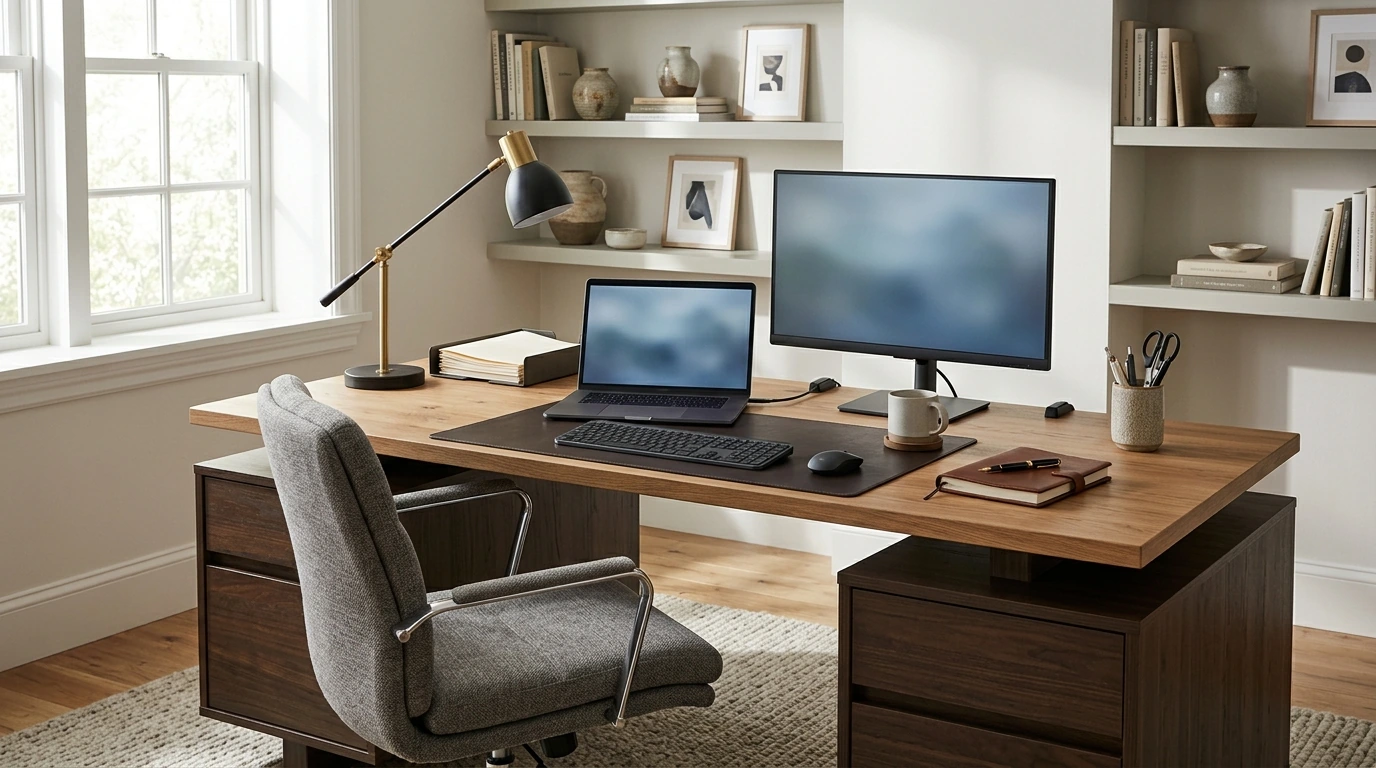
Designed to anchor a home office with a confident, balanced profile, this executive desk pairs a natural wood-look top with two pedestal bases for storage on both sides. The 62-inch surface supports focused work, meetings on video, and everyday organization—without sacrificing a warm, furniture-forward look. If you want a workspace that feels substantial (not temporary), the 62″ Executive Desk with Double Pedestal and Natural Wood Top creates a “ready-for-work” zone that helps routines stick.
That combination—wide surface plus storage on both sides—works especially well when your day blends laptop time, handwritten notes, and quick access to supplies. It also makes the desk feel visually “finished,” even before you add shelves or wall décor.
A 62-inch desktop gives you the opportunity to work in zones rather than stacks. The simplest approach is to divide the top into three functional areas and keep each one predictable.
If ergonomics are part of your planning, it helps to align your setup with established workstation guidance, then fine-tune from there. The OSHA Computer Workstations eTool and Cornell’s ergonomics guidelines are solid references for monitor height, reach zones, and chair/desk coordination.
Two pedestals can be a clutter magnet—or a system that keeps the top clean. The difference is deciding what each side “means” and sticking to it.
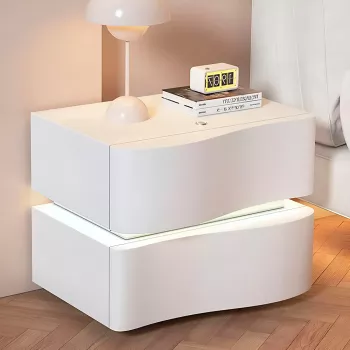
For households that need secondary storage nearby (but not necessarily another full desk), a compact companion piece can keep the main surface focused. The Modern Fluted Nightstand Set of 2 with Charging Station can work as an adjacent charging-and-supplies station in a multipurpose room where office needs share space with everyday living.
A natural wood-look top is an easy match for common office finishes—matte black accessories, white cable boxes, brass lamps, or nickel hardware—while still feeling warm next to screens and tech. To keep it looking fresh, focus on preventing the everyday wear that happens in “high-touch” zones.
If you’re curious about how wood and finishes perform over time (and why gentle cleaning matters), the USDA Forest Service — Forest Products Laboratory shares research and resources on wood materials and finishing.
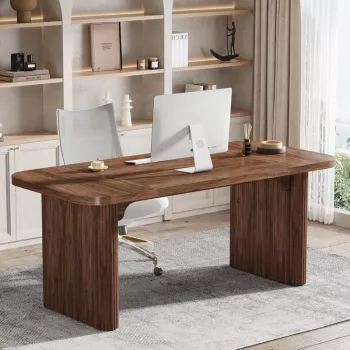
If you’re furnishing a smaller nook or need a lighter footprint option in another room, the Cinnamon Cherry Finish Computer Desk with Storage can complement a primary office setup as a secondary station for quick tasks, crafting, or homework.
| Item to plan | What to measure/decide | Practical tip |
|---|---|---|
| Desk footprint | Width, depth, and chair clearance | Mark the outline with painter’s tape to visualize walking paths |
| Drawer access | Space to fully open drawers | Keep at least a clear buffer so drawers don’t hit walls or chair arms |
| Monitor setup | Number of screens and stand/arm needs | Center the primary monitor and keep eye level near the top third of the screen |
| Cable management | Outlet distance and cable routes | Use adhesive clips or a cable tray to keep cords off the floor |
| Lighting | Task lamp position and glare | Place task lighting opposite the writing hand to reduce shadows |
It can be, as long as knee clearance stays open and the pedestals don’t force you to sit too far back. Set your chair height first, then position your seating so knees and feet can move freely and keep the most-used items within easy reach.
Wipe it with a soft microfiber cloth and a mild cleaner suitable for finished furniture surfaces. Avoid abrasive pads and harsh solvents, and use a desk mat plus coasters to reduce wear from daily contact.
Create one power “home base” with a surge protector under the desk, then route cords along the back edge using clips or a cable tray. Leave slack only where movement is needed, such as for monitor arms or a laptop docking connection.









Leave a comment